
更新日:2025/10/15
Laravel Pint
Laravel Pint is an opinionated PHP code style fixer for minimalists. It is designed to ensure that your code style remains clean and consistent within your Laravel application
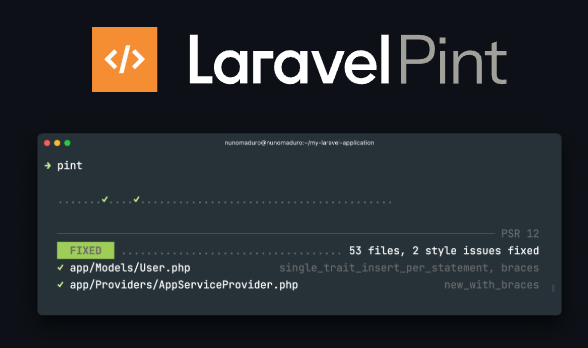
Pint is built on top of PHP CS Fixer and is listed as one of the available packages within the Laravel ecosystem documentation
Laravel Pint is automatically installed with all new Laravel applications, meaning it typically requires no configuration and can be used immediately. If you are working with an older application, you may install Pint using Composer with the development flag
composer require laravel/pint --devTo instruct Pint to fix code style issues, you invoke the pint binary located in your project's vendor/bin directory:
./vendor/bin/pintPint will display a list of all the files it updates. For more detailed information about the changes, you can use the -v option
./vendor/bin/pint -vPint supports several modes of execution:
For improved performance (experimental), Pint can run in parallel mode using the --parallel option. You can specify the maximum number of processes using --max-processes=[number], otherwise Pint will use every available core on your machine
./vendor/bin/pint --parallel --max-processes=4Pint can be run against specific files or directories
./vendor/bin/pint app/Models
./vendor/bin/pint app/Models/User.phpThe --test option instructs Pint to inspect code for style errors without making any changes to the files. If errors are found, Pint will return a non-zero exit code
./vendor/bin/pint --testThe --repair option fixes any style errors but exits with a non-zero exit code if any files needed fixing
./vendor/bin/pint --repair./vendor/bin/pint --diff=main./vendor/bin/pint --dirtyBy default, Pint follows the opinionated coding style of Laravel. While Pint requires no configuration, you can customize its behavior by creating a pint.json file in the root directory of your project
Presets define a collection of rules used to fix code style issues. The default preset is laravel. You can change the preset either by using the --preset option when running Pint (e.g., ./vendor/bin/pint --preset psr12) or by defining it in the pint.json file
{
    "preset": "laravel"
}
Pint currently supports the following presets: laravel, per, psr12, symfony, and empty
Presets are generally sufficient for most projects, meaning you typically do not need to worry about individual rules. However, since Pint is built on PHP CS Fixer, you can enable, disable, or configure specific rules within your pint.json file. You can start from the default laravel preset and override rules, or use the empty preset to define rules from scratch
Example of configuring rules in pint.json:
{
    "preset": "laravel",
    "rules": {
        "simplified_null_return": true,
        "array_indentation": false,
        "new_with_parentheses": {
            "anonymous_class": true,
            "named_class": true
        }
    }
}By default, Pint inspects all .php files in a project, excluding the vendor directory. You can define exclusions in your pint.json file using:
{
    "exclude": [
        "my-specific/folder"
    ]
}{
"notName": [
"*-my-file.php"
]
}{
"notPath": [
"path/to/excluded-file.php"
]
}If you wish to use a configuration file located in a specific directory outside the project root, you can use the --config option when invoking Pint
./vendor/bin/pint --config vendor/my-company/coding-style/pint.jsonPint can be automated in Continuous Integration (CI) environments, such as GitHub Actions. This requires configuring a workflow file (e.g., .github/workflows/lint.yml) that includes steps to check out the code, set up PHP (using the shivammathur/setup-php@v2 action with tools: pint), run the pint command, and optionally commit the fixed files back to the repository using the stefanzweifel/git-auto-commit-action@v6. You must ensure "Read and write permissions" are granted to the workflow permissions in GitHub settings
name: Fix Code Style

on: [push]

jobs:
  lint:
    runs-on: ubuntu-latest
    strategy:
      fail-fast: true
      matrix:
        php: [8.4]

    steps:
      - name: Checkout code
        uses: actions/checkout@v5

      - name: Setup PHP
        uses: shivammathur/setup-php@v2
        with:
          php-version: ${{ matrix.php }}
          tools: pint

      - name: Run Pint
        run: pint

      - name: Commit linted files
        uses: stefanzweifel/git-auto-commit-action@v6